
Skills & Technical Training POS systems
Courses, batches, instructors, fees, certificates and attendance for training institutes. 5 industry-specific POS systems — each 3 months free.
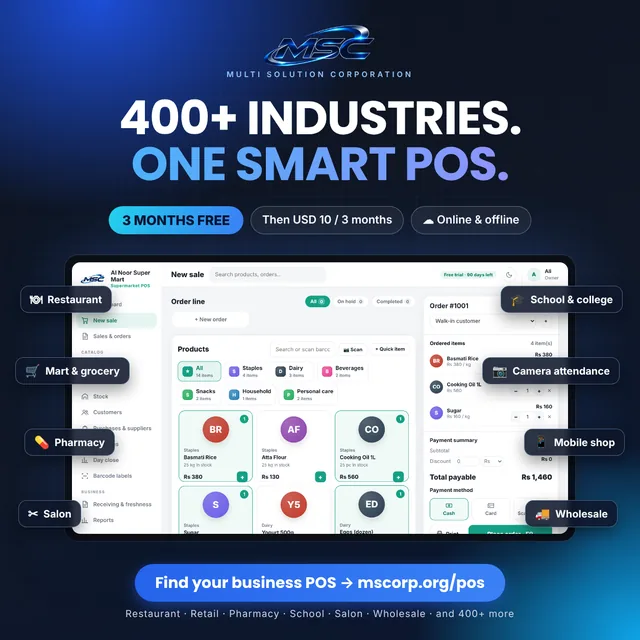
Skills & Technical Training POS software
5 POS systems
Language Institute POS
Students, camera attendance, fees, exams and ID cards for every language institute — plus billing.
- Student & staff records with photos
- Camera attendance from ID card barcode (students & staff)
IT Training Institute POS
Students, camera attendance, fees, exams and ID cards for every IT training institute — plus billing.
- Student & staff records with photos
- Camera attendance from ID card barcode (students & staff)
Driving Institute POS
Students, camera attendance, fees, exams and ID cards for every driving institute — plus billing.
- Student & staff records with photos
- Camera attendance from ID card barcode (students & staff)
Computer Training Center POS
Students, camera attendance, fees, exams and ID cards for every computer training center — plus billing.
- Student & staff records with photos
- Camera attendance from ID card barcode (students & staff)
Technical & Vocational Institute POS
Students, camera attendance, fees, exams and ID cards for every technical & vocational institute — plus billing.
- Student & staff records with photos
- Camera attendance from ID card barcode (students & staff)
MSC POS Chrome extension
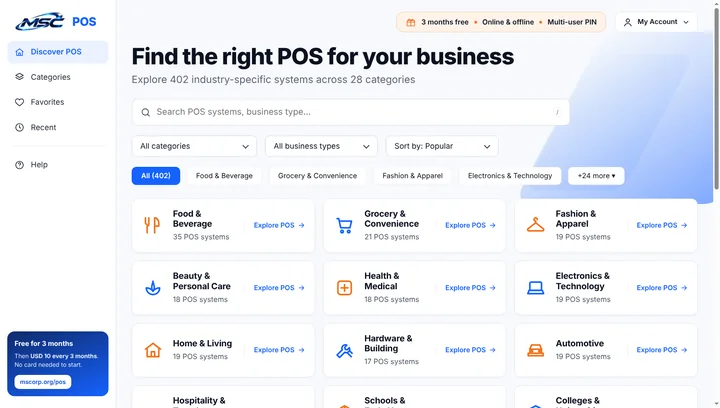
Find the right POS from any tab. Search all 402 industry POS systems, browse by category, save favourites and open a free trial in one click. Type pos + space in the Chrome address bar to search instantly.
- Search with everyday words — “kiryana”, “dawai”, “school”
- Favourites & recently viewed POS
- Works with your MSC account — 3 months free, then USD 10.00 / 3 months
How to use Skills & Technical Training POS — watch the video or download the manual
A short Skills & Technical Training POS tutorial video shows every step: choosing your POS, online or offline setup, adding products, staff PIN login, selling, backup and renewal. Prefer reading? Download the free Skills & Technical Training POS user manual (PDF) in English or Roman Urdu.
Skills & Technical Training POS tutorial video · 1 min 32 sec · English and Roman Urdu
Skills & Technical Training POS user manual (PDF)
Setup, selling, stock, customers, reports, users & PINs, backup and licence — step by step.
In this video
- Choose your POS
- Online or offline version
- Create your account
- Add your products
- PIN login for staff
- Start selling & print receipts
- Keep a backup
- What happens after the free trial
Need a barcode scanner or receipt printer? Visit the MSC hardware shop. read the POS guides and FAQs, or contact MSC support. New to POS? See what a point of sale system is and how GS1 barcodes work.
Use Skills & Technical Training POS online in the browser, or offline with no internet.
Both versions have the same features: fast billing, receipts, stock, customers, reports and multi-user PIN login for owner, manager and cashier. Both are free for 3 months.
Open from mscorp.org
- Opens in any browser on PC, laptop or tablet
- Licence renews itself after you pay
- Cloud backup & restore — move to a new device in one click
- Always the latest version
- Needs internet to open
Download & run on your computer
- Unzip, double-click index.html — that’s it
- Works with no internet, even on day one
- Your data stays on your own computer
- Licence code can be pasted without internet
- Weekly backup file to USB or Google Drive
Each counter keeps its own data. To move data to another computer, use backup & restore (online: cloud backup).
Skills & Technical Training POS pricing after the 3-month free trial
7-day reminder
A notice inside the POS tells you when your trial or licence is about to end.
Pay USD 10.00
Pay from your MSC account — every 3 months. PingPong, PayPal, DogPay or bank transfer.
Licence updates
Online: automatic. Offline: press “Get code online”, or paste the code from your account — no internet needed.
7 days grace
If payment is late, the POS keeps working 7 more days. After that new sales pause until you renew — your data is never deleted.
One price for every Skills & Technical Training POS system.
3 months free
Start any POS free. No card needed.
USD 10.00 / 3 months
Continue after the trial for one simple price.
Pay your way
PingPong, PayPal, DogPay or bank transfer.
Cancel anytime
No contracts. Manage everything from your MSC account.