
MSC POS — find the right POS from any tab.
Search 402 industry POS systems, browse by category, save favourites and start a 3-month free trial in one click. Built by Multi Solution Corporation.
Chrome Web Store listing is on its way. Until then, install it in two minutes with the steps below.
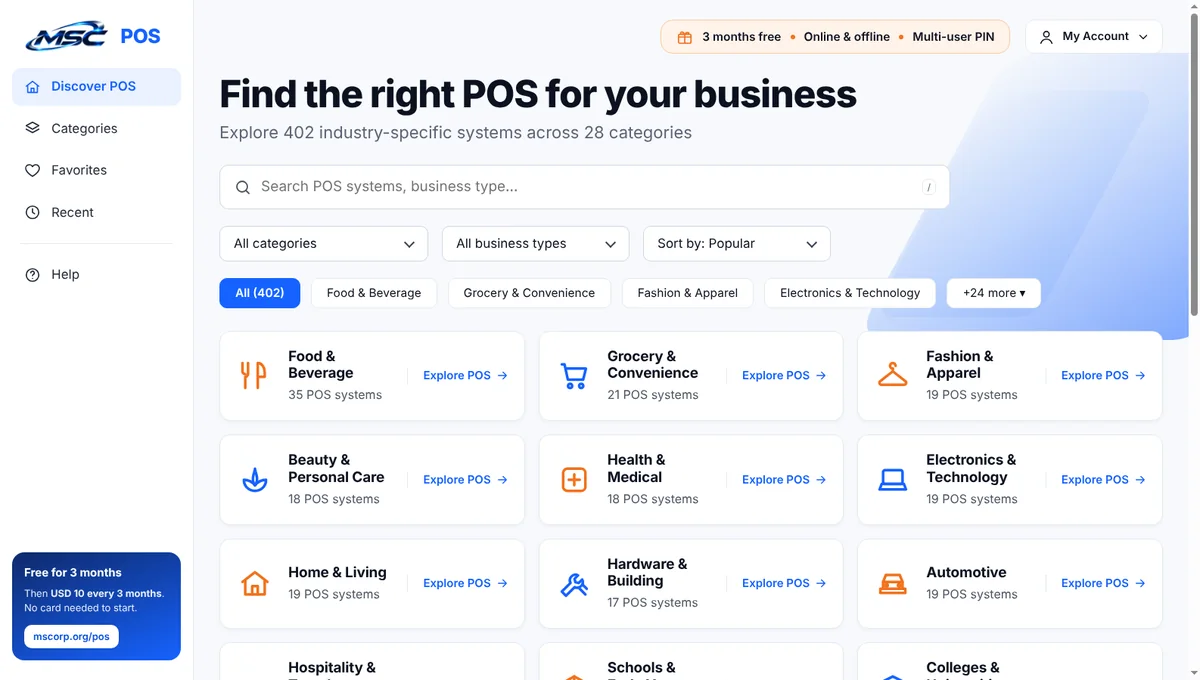
Everything you need to choose a POS
Search in your words
Type “kiryana”, “dawai”, “mart”, “school” or any business — results appear as you type.
All categories
Food, grocery, fashion, pharmacy, schools and colleges, wholesale and more — every category with its POS systems.
Address-bar search
Type pos, press Space, then your business — for example “pos pharmacy” — and press Enter.
Favourites & recent
Save the POS systems you like and find the ones you opened before. Stored only in your browser.
One-click free trial
Open any POS page or try it online straight away. 3 months free, then USD 10.00 every 3 months.
Your MSC account
Sign in, see your POS subscriptions or create a free account from the My Account menu.
Install in Chrome (or Edge) in 2 minutes
- Download the extension ZIP and unzip it to a folder you will keep (for example Documents\MSC POS extension).
- Open
chrome://extensionsin the address bar (Edge:edge://extensions). - Turn on Developer mode (top-right switch).
- Click Load unpacked and choose the unzipped folder.
- Pin it: click the puzzle icon in the toolbar and pin MSC POS. Click the MSC logo to open the dashboard.
MSC POS Chrome extension — privacy
Effective 18 November 2026 · version 1.0.0 · Provider: Multi Solution Corporation, Karachi (mscorp.org).
The extension shows a catalogue of MSC POS systems that is included inside the extension. It does not collect, sell or send any personal data. It has no access to the websites you visit and does not read your tabs.
- Stored in your browser only: your favourite POS systems and the POS pages you opened recently (Chrome storage on your device). Remove them by removing the extension.
- Permissions: “storage” to keep favourites and recent items. The address-bar keyword pos works only when you type it.
- Links: when you open a POS page, start a trial or use My Account, you go to mscorp.org, where the MSC privacy policy applies.
- No analytics, no ads, no tracking inside the extension.
Questions: contact Multi Solution Corporation.