
Product categories
- Consultation
- Procedures
- Tests
- Medicines
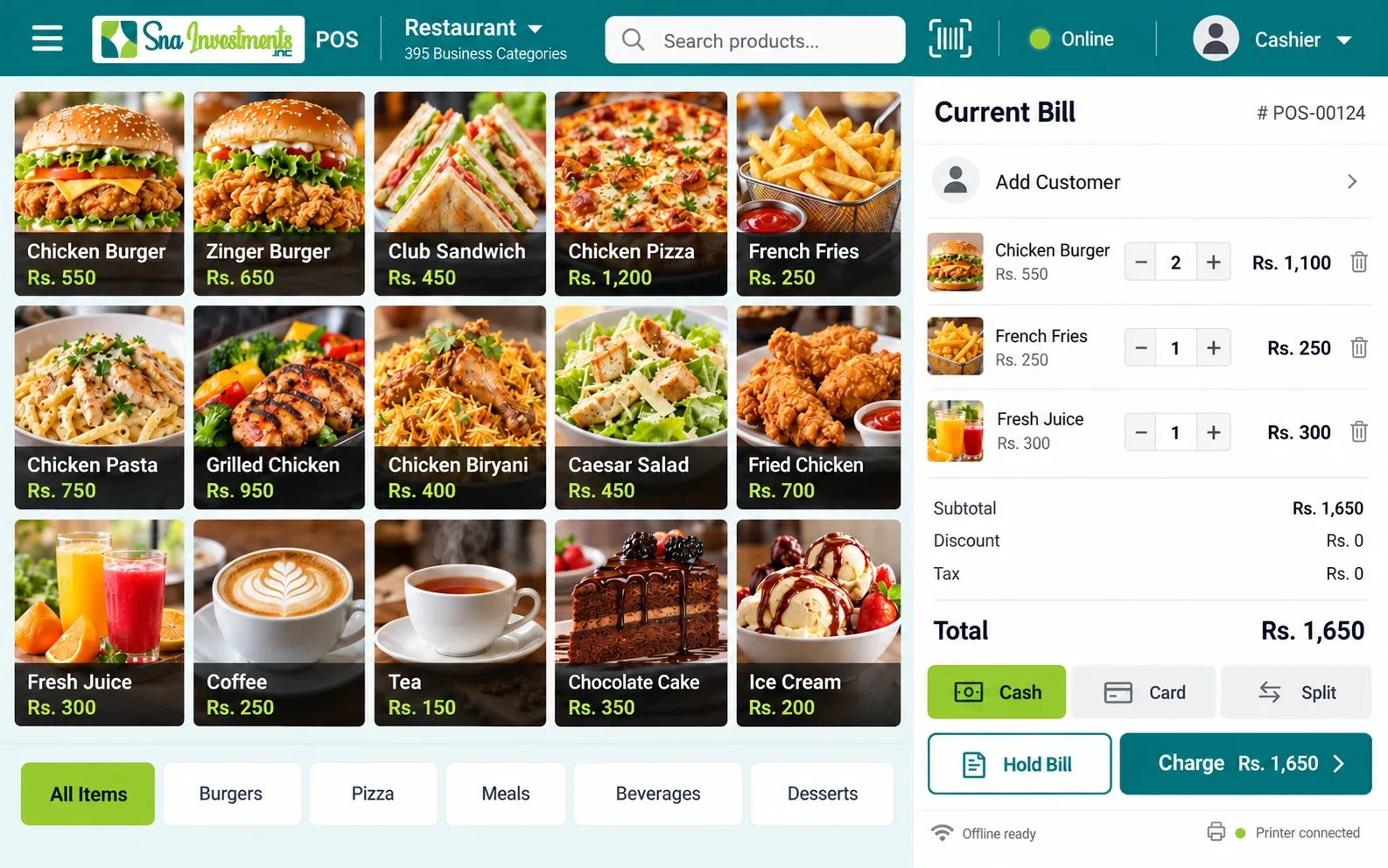
All products, prices and photographs can be changed after setup.
Point of sale software for fertility clinic businesses
Point of sale software for fertility clinic businesses
All products, prices and photographs can be changed after setup.
Choose how you open the POS. Each browser keeps its own records. Online and downloaded copies do not automatically share sales or stock.
Launch the hosted POS in your browser. Add your business details and owner PIN, then manage your daily counter.
Download your business ZIP once, extract it, and open index.html in Chrome or Edge. Daily billing works without internet.
Keep regular backups. Browser data clearing can remove your records. Card and wallet payment entries record payments made elsewhere; they do not process payments.
SNA × MSC FREE POS: free tools to run your business, plus optional paid add-ons when you need more. Availability is shown on each feature.
Sell from a phone, tablet or supported browser-based POS device.
FREEView sales reports for the last 31 days.
FREETrack stock for items and their components. Get low-stock alerts.
FREEReward customers and encourage repeat visits.
FREEShow order details to customers during checkout.
FREESend orders to the kitchen in real time.
FREEManage multiple stores from one account.
FREEConnect accounting, ecommerce, marketing and other tools.
FREE395 business profiles, with relevant categories and editable sample products. Choose a profile to open online or download offline.
Point of sale software for restaurant businesses
Point of sale software for cafe businesses
Point of sale software for bakery businesses
Point of sale software for grocery store businesses
Point of sale software for clothing store businesses
Point of sale software for beauty salon businesses
Point of sale software for pharmacy businesses
Point of sale software for mobile phone shop businesses
Point of sale software for hardware store businesses
Point of sale software for auto parts store businesses
Point of sale software for gym businesses
Point of sale software for wholesale distributor businesses
Point of sale software for fast food businesses
Point of sale software for coffee shop businesses
Point of sale software for pizza shop businesses
Point of sale software for burger joint businesses
Point of sale software for food truck businesses
Point of sale software for juice bar businesses
Point of sale software for ice cream parlor businesses
Point of sale software for dessert shop businesses
Point of sale software for tea house businesses
Point of sale software for bubble tea shop businesses
Point of sale software for fine dining businesses
Point of sale software for buffet restaurant businesses
Point of sale software for bbq restaurant businesses
Point of sale software for sushi bar businesses
Point of sale software for chinese restaurant businesses
Point of sale software for desi restaurant businesses
Point of sale software for biryani house businesses
Point of sale software for karahi & tikka restaurant businesses
Point of sale software for shawarma shop businesses
Point of sale software for fried chicken outlet businesses
Point of sale software for steakhouse businesses
Point of sale software for seafood restaurant businesses
Point of sale software for bar & pub businesses
Point of sale software for brewery businesses
Point of sale software for nightclub businesses
Point of sale software for catering service businesses
Point of sale software for cloud kitchen businesses
Point of sale software for canteen businesses
Point of sale software for cafeteria businesses
Point of sale software for sweet shop (mithai) businesses
Point of sale software for chocolate shop businesses
Point of sale software for salad bar businesses
Point of sale software for supermarket businesses
Point of sale software for hypermarket businesses
Point of sale software for convenience store businesses
Point of sale software for mini mart businesses
Point of sale software for kiryana store businesses
Point of sale software for organic food store businesses
Point of sale software for butcher shop businesses
Point of sale software for fish market businesses
Point of sale software for poultry shop businesses
Point of sale software for fruit & vegetable shop businesses
Point of sale software for dairy shop businesses
Point of sale software for dry fruits shop businesses
Point of sale software for spice shop businesses
Point of sale software for halal meat store businesses
Point of sale software for frozen food store businesses
Point of sale software for health food store businesses
Point of sale software for wholesale grocery businesses
Point of sale software for cash & carry businesses
Point of sale software for tobacco & vape shop businesses
Point of sale software for water plant businesses
Point of sale software for boutique businesses
Point of sale software for men's wear businesses
Point of sale software for women's wear businesses
Point of sale software for kids wear businesses
Point of sale software for shoe store businesses
Point of sale software for footwear wholesale businesses
Point of sale software for bridal wear businesses
Point of sale software for tailor shop businesses
Point of sale software for fabric & textile store businesses
Point of sale software for lingerie store businesses
Point of sale software for sportswear store businesses
Point of sale software for uniform supplier businesses
Point of sale software for abaya & hijab store businesses
Point of sale software for denim store businesses
Point of sale software for bag & luggage store businesses
Point of sale software for second-hand clothing businesses
Point of sale software for embroidery shop businesses
Point of sale software for dry cleaner businesses
Point of sale software for barber shop businesses
Point of sale software for spa businesses
Point of sale software for nail salon businesses
Point of sale software for makeup studio businesses
Point of sale software for bridal salon businesses
Point of sale software for tattoo studio businesses
Point of sale software for cosmetics store businesses
Point of sale software for perfume shop businesses
Point of sale software for skin care clinic businesses
Point of sale software for hair extension studio businesses
Point of sale software for massage center businesses
Point of sale software for tanning salon businesses
Point of sale software for eyelash & brow bar businesses
Point of sale software for mehndi artist studio businesses
Point of sale software for waxing studio businesses
Point of sale software for grooming lounge businesses
Point of sale software for aesthetics clinic businesses
Point of sale software for medical store businesses
Point of sale software for clinic businesses
Point of sale software for dental clinic businesses
Point of sale software for optical store businesses
Point of sale software for laboratory businesses
Point of sale software for diagnostic center businesses
Point of sale software for physiotherapy center businesses
Point of sale software for veterinary clinic businesses
Point of sale software for hospital outpatient businesses
Point of sale software for homeopathic store businesses
Point of sale software for herbal medicine store businesses
Point of sale software for medical equipment store businesses
Point of sale software for hearing aid center businesses
Point of sale software for nursing home businesses
Point of sale software for dermatology clinic businesses
Point of sale software for eye clinic businesses
Point of sale software for fertility clinic businesses
Point of sale software for mobile accessories store businesses
Point of sale software for computer store businesses
Point of sale software for laptop store businesses
Point of sale software for electronics store businesses
Point of sale software for home appliances store businesses
Point of sale software for camera store businesses
Point of sale software for gaming store businesses
Point of sale software for mobile repair shop businesses
Point of sale software for computer repair shop businesses
Point of sale software for cctv & security store businesses
Point of sale software for solar panel store businesses
Point of sale software for battery & ups store businesses
Point of sale software for electrical supplies businesses
Point of sale software for lighting store businesses
Point of sale software for software reseller businesses
Point of sale software for printer & toner shop businesses
Point of sale software for smart home store businesses
Point of sale software for audio & hi-fi store businesses
Point of sale software for furniture store businesses
Point of sale software for home decor store businesses
Point of sale software for mattress store businesses
Point of sale software for carpet & rug store businesses
Point of sale software for curtain store businesses
Point of sale software for kitchenware store businesses
Point of sale software for crockery store businesses
Point of sale software for bedding store businesses
Point of sale software for bathroom fittings store businesses
Point of sale software for tile & marble store businesses
Point of sale software for paint store businesses
Point of sale software for wallpaper store businesses
Point of sale software for lamp & chandelier store businesses
Point of sale software for antique store businesses
Point of sale software for garden center businesses
Point of sale software for nursery (plants) businesses
Point of sale software for florist businesses
Point of sale software for gift shop businesses
Point of sale software for handicraft store businesses
Point of sale software for building materials businesses
Point of sale software for sanitary store businesses
Point of sale software for plumbing supplies businesses
Point of sale software for steel & iron store businesses
Point of sale software for cement dealer businesses
Point of sale software for timber yard businesses
Point of sale software for glass & aluminium shop businesses
Point of sale software for tools store businesses
Point of sale software for locksmith businesses
Point of sale software for lock store businesses
Point of sale software for safety equipment store businesses
Point of sale software for welding supplies businesses
Point of sale software for pipe & fittings store businesses
Point of sale software for roofing supplies businesses
Point of sale software for door & window store businesses
Point of sale software for electrical contractor store businesses
Point of sale software for car showroom businesses
Point of sale software for used car dealer businesses
Point of sale software for motorcycle showroom businesses
Point of sale software for bike parts store businesses
Point of sale software for car wash businesses
Point of sale software for auto repair workshop businesses
Point of sale software for tyre shop businesses
Point of sale software for oil change center businesses
Point of sale software for car accessories store businesses
Point of sale software for car rental businesses
Point of sale software for petrol pump businesses
Point of sale software for cng station businesses
Point of sale software for ev charging station businesses
Point of sale software for car detailing studio businesses
Point of sale software for auto body shop businesses
Point of sale software for rickshaw parts store businesses
Point of sale software for truck parts store businesses
Point of sale software for driving school businesses
Point of sale software for hotel businesses
Point of sale software for motel businesses
Point of sale software for guest house businesses
Point of sale software for resort businesses
Point of sale software for hostel businesses
Point of sale software for bed & breakfast businesses
Point of sale software for serviced apartments businesses
Point of sale software for travel agency businesses
Point of sale software for tour operator businesses
Point of sale software for ticketing agency businesses
Point of sale software for event venue businesses
Point of sale software for banquet hall businesses
Point of sale software for marquee businesses
Point of sale software for wedding hall businesses
Point of sale software for camping site businesses
Point of sale software for holiday homes businesses
Point of sale software for souvenir shop businesses
Point of sale software for school businesses
Point of sale software for college businesses
Point of sale software for academy businesses
Point of sale software for tuition center businesses
Point of sale software for coaching center businesses
Point of sale software for language institute businesses
Point of sale software for it training institute businesses
Point of sale software for driving institute businesses
Point of sale software for madrasa businesses
Point of sale software for montessori businesses
Point of sale software for daycare businesses
Point of sale software for music school businesses
Point of sale software for dance studio businesses
Point of sale software for art school businesses
Point of sale software for library businesses
Point of sale software for bookstore businesses
Point of sale software for stationery shop businesses
Point of sale software for uniform & books shop businesses
Point of sale software for quran academy businesses
Point of sale software for fitness center businesses
Point of sale software for yoga studio businesses
Point of sale software for martial arts academy businesses
Point of sale software for swimming pool businesses
Point of sale software for sports club businesses
Point of sale software for golf club businesses
Point of sale software for cricket academy businesses
Point of sale software for football academy businesses
Point of sale software for bowling alley businesses
Point of sale software for snooker club businesses
Point of sale software for gaming zone businesses
Point of sale software for trampoline park businesses
Point of sale software for sports equipment store businesses
Point of sale software for cycle store businesses
Point of sale software for supplement store businesses
Point of sale software for tennis club businesses
Point of sale software for cinema businesses
Point of sale software for amusement park businesses
Point of sale software for water park businesses
Point of sale software for arcade businesses
Point of sale software for escape room businesses
Point of sale software for play area businesses
Point of sale software for museum businesses
Point of sale software for zoo businesses
Point of sale software for theater businesses
Point of sale software for concert venue businesses
Point of sale software for karaoke bar businesses
Point of sale software for vr gaming lounge businesses
Point of sale software for paintball arena businesses
Point of sale software for go-kart track businesses
Point of sale software for event ticketing businesses
Point of sale software for photography studio businesses
Point of sale software for recording studio businesses
Point of sale software for law firm businesses
Point of sale software for accounting firm businesses
Point of sale software for consultancy businesses
Point of sale software for real estate agency businesses
Point of sale software for property management businesses
Point of sale software for insurance agency businesses
Point of sale software for recruitment agency businesses
Point of sale software for printing press businesses
Point of sale software for advertising agency businesses
Point of sale software for translation service businesses
Point of sale software for notary office businesses
Point of sale software for architecture firm businesses
Point of sale software for interior design studio businesses
Point of sale software for event management businesses
Point of sale software for wedding planner businesses
Point of sale software for security services businesses
Point of sale software for cleaning services businesses
Point of sale software for pest control businesses
Point of sale software for laundry service businesses
Point of sale software for electrician service businesses
Point of sale software for plumber service businesses
Point of sale software for ac repair service businesses
Point of sale software for appliance repair businesses
Point of sale software for carpenter workshop businesses
Point of sale software for painter service businesses
Point of sale software for shoe repair businesses
Point of sale software for watch repair businesses
Point of sale software for jewelry repair businesses
Point of sale software for tailoring & alterations businesses
Point of sale software for key cutting shop businesses
Point of sale software for upholstery shop businesses
Point of sale software for furniture polish businesses
Point of sale software for generator repair businesses
Point of sale software for water tank cleaning businesses
Point of sale software for glass repair businesses
Point of sale software for handyman service businesses
Point of sale software for jewelry store businesses
Point of sale software for gold & silver shop businesses
Point of sale software for watch store businesses
Point of sale software for toy store businesses
Point of sale software for baby store businesses
Point of sale software for pet store businesses
Point of sale software for pet grooming businesses
Point of sale software for aquarium shop businesses
Point of sale software for bird shop businesses
Point of sale software for music instruments store businesses
Point of sale software for art supplies store businesses
Point of sale software for craft store businesses
Point of sale software for party supplies businesses
Point of sale software for hobby shop businesses
Point of sale software for comic store businesses
Point of sale software for bridal accessories businesses
Point of sale software for eyewear boutique businesses
Point of sale software for islamic books & items businesses
Point of sale software for prayer mats & attar businesses
Point of sale software for fmcg distributor businesses
Point of sale software for pharma distributor businesses
Point of sale software for electronics wholesale businesses
Point of sale software for garments wholesale businesses
Point of sale software for hardware wholesale businesses
Point of sale software for stationery wholesale businesses
Point of sale software for cosmetics wholesale businesses
Point of sale software for toys wholesale businesses
Point of sale software for grain market dealer businesses
Point of sale software for sugar dealer businesses
Point of sale software for oil & ghee dealer businesses
Point of sale software for beverage distributor businesses
Point of sale software for packaging supplier businesses
Point of sale software for import export trader businesses
Point of sale software for commission agent (arhti) businesses
Point of sale software for indenting agent businesses
Point of sale software for warehouse businesses
Point of sale software for small factory businesses
Point of sale software for garment factory businesses
Point of sale software for furniture factory businesses
Point of sale software for bakery factory businesses
Point of sale software for printing factory businesses
Point of sale software for plastic products unit businesses
Point of sale software for steel fabrication businesses
Point of sale software for textile mill outlet businesses
Point of sale software for leather goods workshop businesses
Point of sale software for sports goods manufacturer businesses
Point of sale software for surgical instruments maker businesses
Point of sale software for chemical supplier businesses
Point of sale software for food processing unit businesses
Point of sale software for ice factory businesses
Point of sale software for bottling plant businesses
Point of sale software for brick kiln businesses
Point of sale software for marble factory businesses
Point of sale software for packaging factory businesses
Point of sale software for agri store businesses
Point of sale software for seed store businesses
Point of sale software for fertilizer dealer businesses
Point of sale software for pesticide dealer businesses
Point of sale software for tractor dealer businesses
Point of sale software for farm equipment store businesses
Point of sale software for dairy farm businesses
Point of sale software for poultry farm businesses
Point of sale software for fish farm businesses
Point of sale software for cattle farm businesses
Point of sale software for feed mill businesses
Point of sale software for fruit orchard shop businesses
Point of sale software for nursery farm businesses
Point of sale software for honey shop businesses
Point of sale software for organic farm shop businesses
Point of sale software for cold storage businesses
Point of sale software for mosque donation counter businesses
Point of sale software for church store businesses
Point of sale software for charity shop businesses
Point of sale software for ngo fundraising businesses
Point of sale software for welfare trust businesses
Point of sale software for community center businesses
Point of sale software for club membership businesses
Point of sale software for association office businesses
Point of sale software for cooperative society businesses
Point of sale software for housing society office businesses
Point of sale software for donation drive businesses
Point of sale software for thrift store businesses
Point of sale software for bus ticketing businesses
Point of sale software for cargo service businesses
Point of sale software for logistics company businesses
Point of sale software for moving company businesses
Point of sale software for taxi service businesses
Point of sale software for rent a car businesses
Point of sale software for parking lot businesses
Point of sale software for toll plaza businesses
Point of sale software for freight forwarder businesses
Point of sale software for courier franchise businesses
Point of sale software for delivery service businesses
Point of sale software for boat rental businesses
Point of sale software for market stall businesses
Point of sale software for kiosk businesses
Point of sale software for pop-up shop businesses
Point of sale software for street food cart businesses
Point of sale software for exhibition stall businesses
Point of sale software for farmers market vendor businesses
Point of sale software for event pop-up bar businesses
Point of sale software for flea market seller businesses
Point of sale software for mobile vendor businesses
No matching businesses. Try a different name or category.
Proposed free basic plan. This is the separate free POS product. Optional paid add-ons are available through its own account page.
USD per store. Taxes excluded.
Extended reporting and export controls.
Trial and invoice activation implemented; live payment verification pending.
USD per employee. Taxes excluded.
Team performance, permissions and working hours.
Trial and invoice activation implemented; live payment verification pending.
USD per store. Taxes excluded.
Purchase orders, stock transfers and deeper inventory tools.
Trial and invoice activation implemented; live payment verification pending.
14-day add-on trial and annual billing at 10 monthly payments. Current basic reports and PIN users remain available. Add-ons use their own invoice and signed offline access. Live gateway verification is pending. Staffed 24/7 support is not supplied by this software. Original paid POS subscriptions, trial periods and prices remain separate.
Loyalty rewards · Customer display · Live kitchen display · Multi-store synchronisation · Third-party integrations · Employee attendance · Purchase orders · Stock transfers
Loyalty, same-device live displays, local multi-store, CSV/JSON interchange, attendance, purchase orders and transfers are implemented. Cloud snapshot restore is manual; simultaneous live multi-counter stock and provider-specific integrations are not included. Live payment verification is pending.Find the profile that matches your counter. Open online or download its ZIP.
Set business details, create an owner PIN and edit products, prices and photos.
Create your first sale, print a receipt and keep a safe copy of your data.
Download once with internet, extract the complete ZIP and open index.html. Basic operations then work without internet.
Yes. Open Products, edit a product, choose Add photo or Change, and save a local picture.
No automatic sync is included. Each browser and business profile has its own data. Use backup and restore to move matching-profile data.
The download is browser software in a ZIP. It is not a compiled Windows installer or EXE.
No. Their original pages, apps, downloads, prices, licences and browser data remain separate. This free product uses new routes and storage.
Allow optional Google analytics and advertising tools? You can change your choice at any time.